> For the complete documentation index, see [llms.txt](https://docs.tradefi.bot/whitepaper/llms.txt). Markdown versions of documentation pages are available by appending `.md` to page URLs; this page is available as [Markdown](https://docs.tradefi.bot/whitepaper/ai-tradingview-indicators/reversal-zones-or-ai-powered-tradingview-indicator.md).
# Reversal Zones | AI-Powered TradingView Indicator
Introduction to Tradefi.bot Reversal Zones
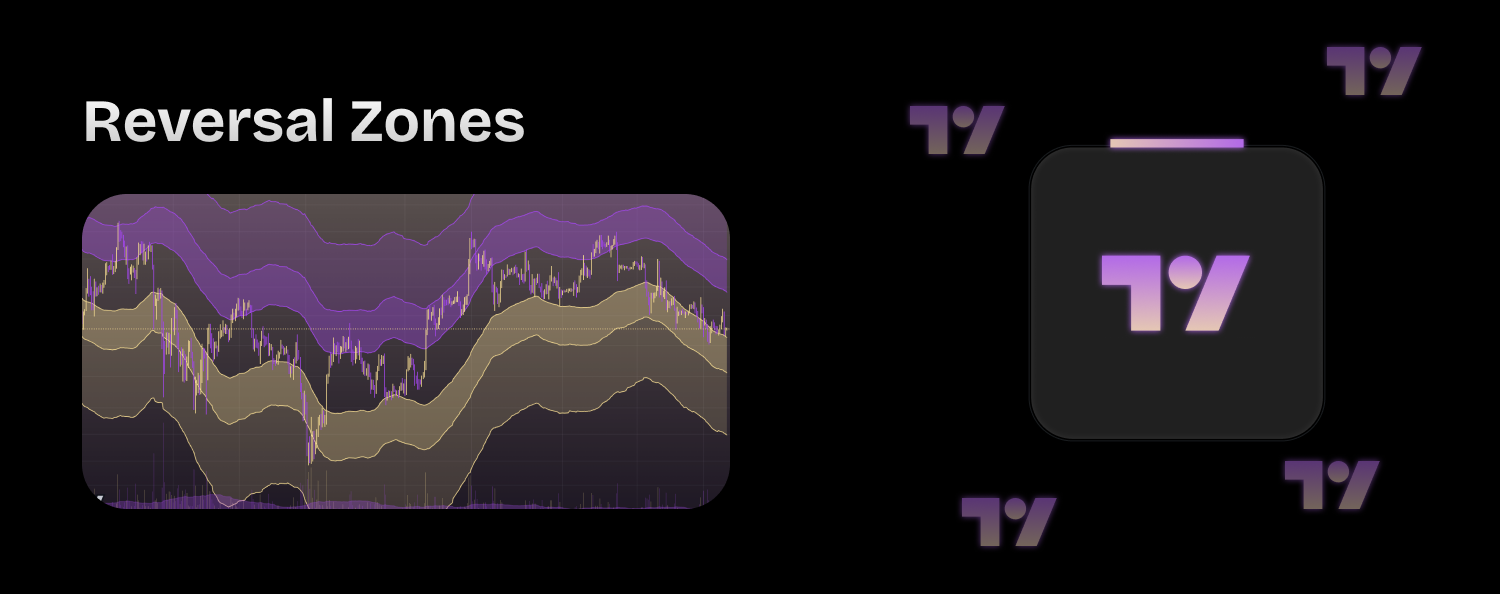
The "Tradefi.bot | Reversal Zones" indicator is designed to help traders identify potential market reversal points. It is suitable for traders of all experience levels, offering a clear and straightforward visual representation of reversal zones. **The indicator is adaptable to any market, asset, and timeframe, making it a versatile tool for diverse trading strategies.**
## Key Features
### Easy-to-Use Interface
The indicator is user-friendly and can be easily interpreted by traders at any skill level. It provides clear visual cues that help traders make informed decisions without the need for complex analysis.
### Versatile Application
The indicator can be used across various markets and assets, including stocks, forex, commodities, and cryptocurrencies. It is designed to work on any timeframe, from intraday to long-term trading.
### Auto-Adjustment
The indicator automatically adjusts its parameters based on the selected timeframe, ensuring optimal performance and accurate signals regardless of the trading environment.
### How It Works
The "Tradefi.bot | Reversal Zones" indicator uses a combination of moving averages and the Average True Range (ATR) to identify potential reversal zones. Here is a breakdown of its functionality:
### Parameters and Settings
* **Length:** Defines the period for the moving average calculation.
* **Source (src):** The data source for the calculations, typically the closing price.
* **Type:** The type of moving average to use (SMA, EMA, HULL).
* **Multipliers:** Defines the size of the reversal zones (Large, Medium, Small).
* **Adjustment Factor:** Adjusts the multipliers based on the selected timeframe to optimize performance.
### Moving Averages
* **Simple Moving Average (SMA):** A basic moving average that smooths out price data by calculating the average price over a specified number of periods.
* **Exponential Moving Average (EMA):** A moving average that places more weight on recent prices, making it more responsive to new information.
* **Hull Moving Average (HULL):** A moving average that aims to reduce lag while improving smoothing, providing a more accurate trend representation.
### Reversal Zones Calculation
The indicator calculates the ATR based on the daily timeframe and uses it to determine the upper and lower reversal zones:
* **Upper Zones:** Calculated by adding the ATR multiplied by the respective multipliers to the moving average.
* **Lower Zones:** Calculated by subtracting the ATR multiplied by the respective multipliers from the moving average.
### Visual Representation
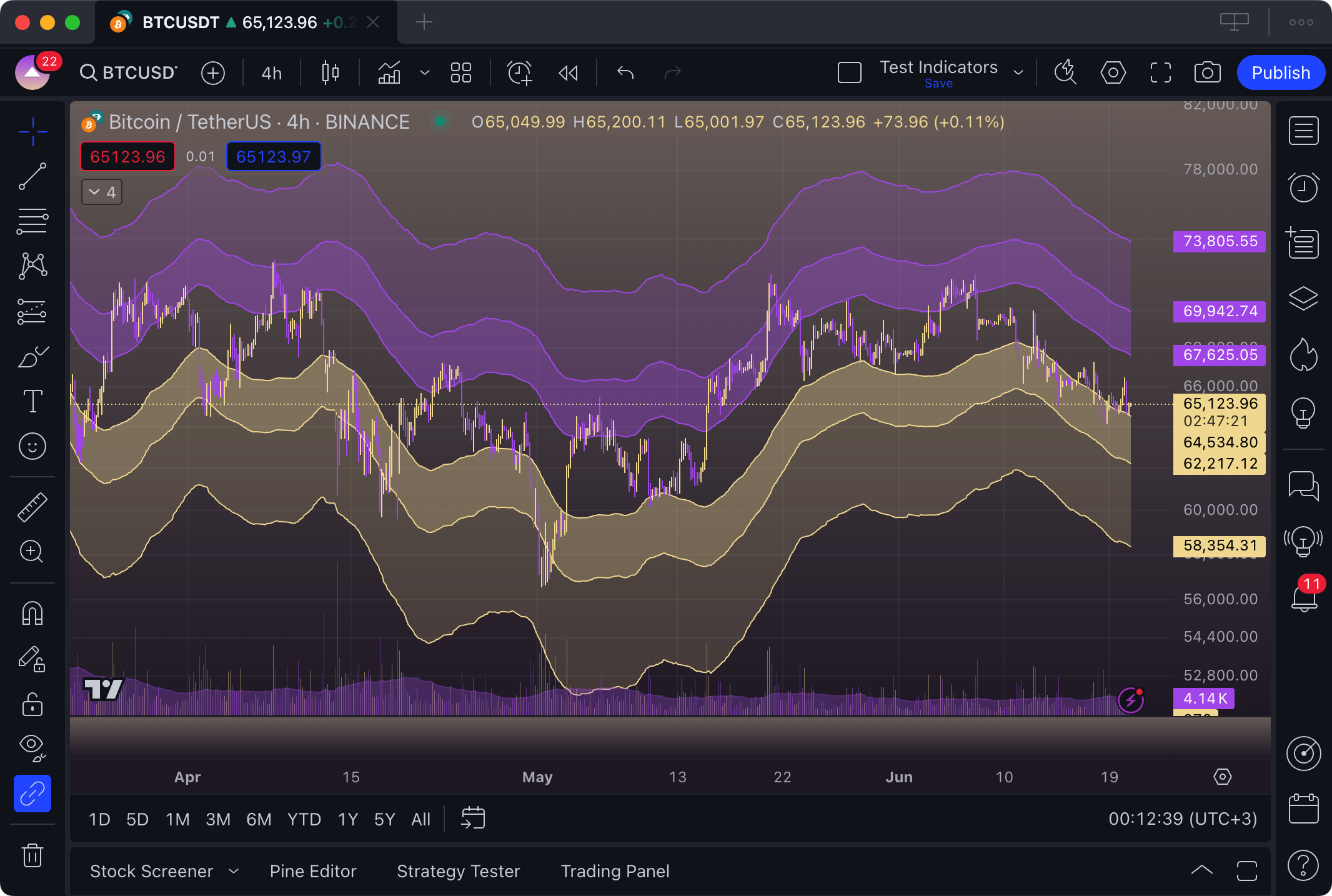
* **Upper Reversal Zones:** Plotted as lines above the moving average, colored in purple (#B164EC).
* **Lower Reversal Zones:** Plotted as lines below the moving average, colored in yellow (#F3DDA0).
* **Shaded Areas:** The spaces between the upper and lower reversal zones are filled with corresponding colors, providing a clear visual representation of the potential reversal areas.
## Interpretation of Signals
### Buy and Sell Signals
* **Buy Signal:** When the price approaches or enters the lower reversal zones, it indicates a potential buying opportunity.
* **Sell Signal:** When the price approaches or enters the upper reversal zones, it indicates a potential selling opportunity.
### Risk Management
The indicator incorporates built-in risk management by defining clear reversal zones, allowing traders to set stop-loss and take-profit levels based on these zones.
## Customization
The indicator offers various customization options, including:
* **Length of the moving averages**
* **Type of moving average (SMA, EMA, HULL)**
* **Size and adjustment of the reversal zones**
* **Colors and styles of the plotted lines and shaded areas**
## Benefits of Using Tradefi.bot Reversal Zones
* **Simplicity:** Easy to understand and use, making it suitable for traders of all experience levels.
* **Flexibility:** Works on any market, asset, and timeframe.
* **Accuracy:** Provides clear and reliable signals for identifying potential market reversals.
* **Risk Management:** Helps traders set effective stop-loss and take-profit levels.
The "Tradefi.bot | Reversal Zones" indicator is a powerful tool for traders looking to identify potential market reversal points. Its user-friendly interface, versatility, and built-in risk management features make it an essential addition to any trading strategy. Whether you are a beginner or an experienced trader, this indicator can help you make more informed trading decisions and improve your overall trading performance.
{% content-ref url="/pages/0GwBehssfg4a2ELPQ7Ao" %}
[Indicator Components](/whitepaper/ai-tradingview-indicators/reversal-zones-or-ai-powered-tradingview-indicator/indicator-components.md)
{% endcontent-ref %}
{% content-ref url="/pages/KqziLQFSCCMMpMndCjzM" %}
[TradingView Configuration](/whitepaper/ai-tradingview-indicators/reversal-zones-or-ai-powered-tradingview-indicator/tradingview-configuration.md)
{% endcontent-ref %}
{% content-ref url="/pages/3kwBbrtEBLq5NJxXSUzV" %}
[How to use it?](/whitepaper/ai-tradingview-indicators/reversal-zones-or-ai-powered-tradingview-indicator/how-to-use-it.md)
{% endcontent-ref %}